To cancel your service, please follow the steps below:
- Login to the Client Area.
- Choose Services then, select My Services.
- Double-click the Product/Service you want to cancel.
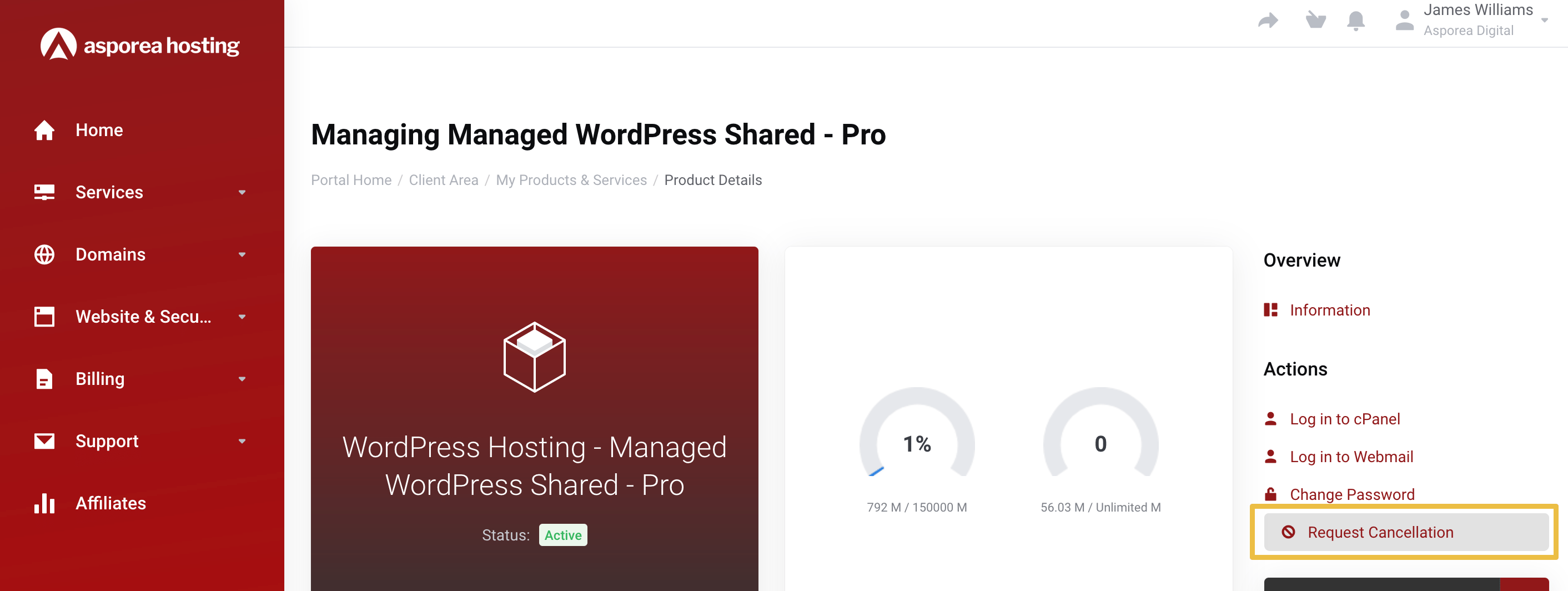
- Select Request Cancellation from the right-hand side Actions menu
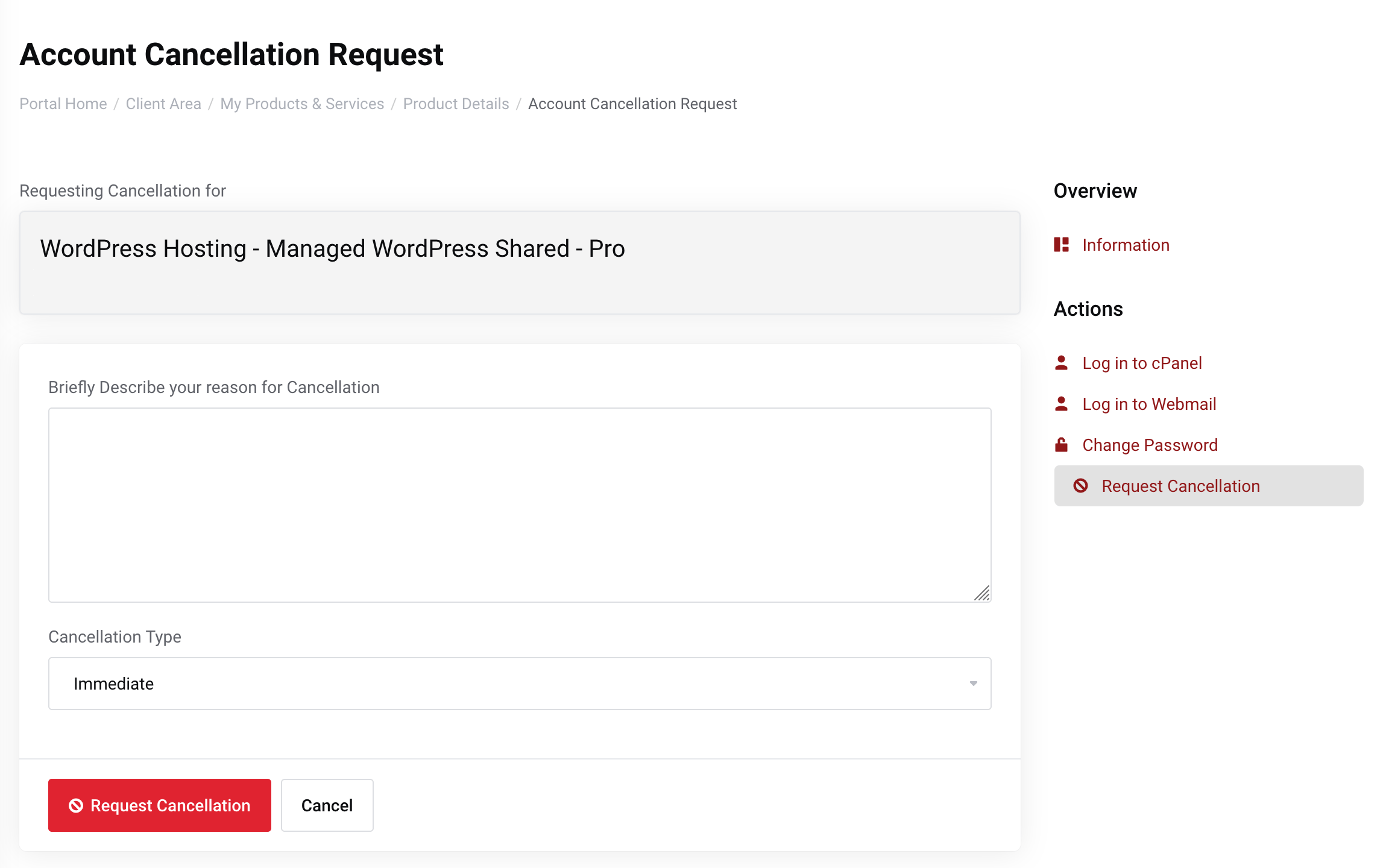
- Enter a brief cancellation reason
- Choose the cancellation type:
Immediate - all files will be immediately removed and become unrecoverable; or
End of Billing Period - when the current period ends. - Click Request Cancellation